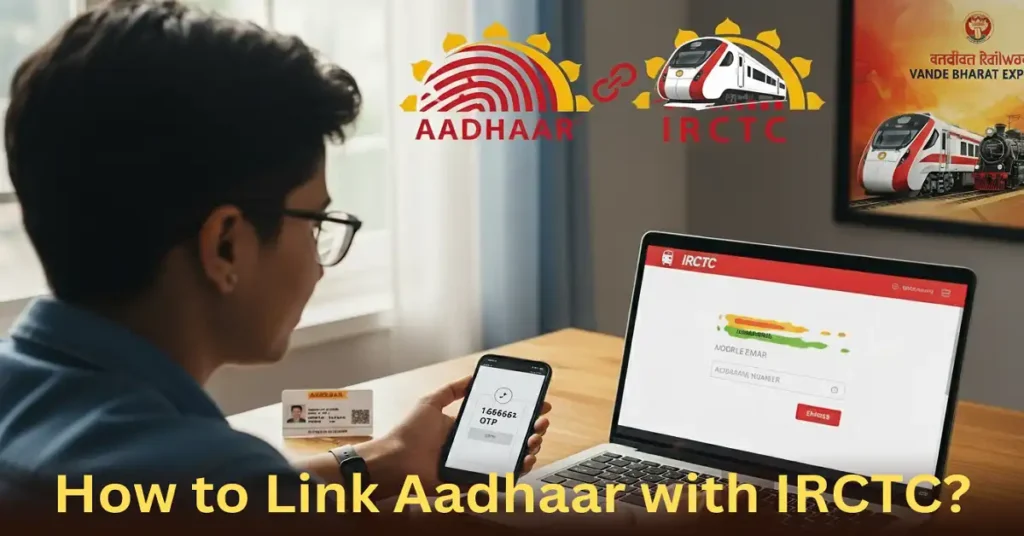
If you book train tickets on the IRCTC website, there is an important rule you need to know. From July 2025, you must link your Aadhaar card with your IRCTC account if you want to book Tatkal tickets or book general tickets faster.
Let’s go step by step and link your Aadhaar card with IRCTC account easily.
What Changed in 2025 (IRCTC new rules)?
Indian Railways (IRCTC) made new rules to stop fake bookings and touts (people who buy more tickets and sell them for extra money).
Here are the new IRCTC rules in 2025:
From July 1, 2025
- You must link your Aadhaar with your IRCTC account to book Tatkal tickets online.
- Before booking, you will get a One-Time Password (OTP) on your mobile number linked with Aadhaar.
- Without the OTP verification, you can not complete the booking.
- Agents are blocked from booking Tatkal tickets for the first 30 minutes after bookings open.
July 15, 2025
- Aadhaar verification will also be needed for offline reservation bookings at railway station counters.
- Even IRCTC agents will need to complete OTP verification when booking Tatkal tickets.
- This step removes fake or bulk bookings through agents.
October 1, 2025
- For all reserved train tickets, Aadhaar authentication will be required during the first 15 minutes after the booking window opens.
- After 15 minutes, normal (non-verified) users can book tickets as usual.
Why You Should Link Your Aadhaar with IRCTC profile?
If you link your Aadhaar number with your IRCTC account, you will get the following benefits:
- More tickets — you can book 24 tickets per month instead of 12.
- Access to Tatkal and Premium Tatkal tickets.
- Faster payment with IRCTC e-Wallet.
- A verified and safe account (no fake users).
How to Link Your Aadhaar with IRCTC account?
Follow these simple steps and link Aadhaar with IRCTC profile in minutes.
1: Go to the IRCTC website
2: Click on “My Account” → “Authenticate User”
3: Enter your Aadhaar Number (12 digits) or Virtual ID (16 digits).
4: Check that your Name, Date of Birth, and Gender are correct.
- They must match your Aadhaar exactly. If something is wrong, click Edit to fix it.
5: Click “Verify details and receive OTP.”
- You will get an OTP on your mobile number linked with your Aadhaar card.
6: Type the OTP in the box and click Submit.
7: Once you see a green tick ✅ near your username, your Aadhaar is linked successfully!
What You Can Do After Linking Aadhaar?
After your Aadhaar is verified, you can:
- Book 24 tickets per month.
- Use Tatkal and Premium Tatkal without restrictions.
- Add Aadhaar-verified passengers easily from your Master List.
- Register for IRCTC e-Wallet and pay faster.
Important tips Before You Start
- Make sure your Aadhaar mobile number is active (To recieve OTP).
- Your IRCTC name and DOB should match with Aadhaar card data.
- Do this before Tatkal booking window.
- Use Chrome or Edge browser.
- Don’t ue VPN or ad blockers in web browser.
Common Problems and Easy Fixes
| Problem | Why It Happens | What To Do |
|---|---|---|
| OTP not received | Your mobile number is not linked to Aadhaar | Update it at uidai.gov.in |
| Name or DOB mismatch | IRCTC details don’t match Aadhaar | Edit your IRCTC profile and retry |
| Page is not loading | Browser or cache problem | Clear cookies or switch browser |
| Authentication failed | Wrong OTP or expired one | Request a new OTP |
What if You Need Help?
- Don’t panic.
- Visit https://equery.irctc.co.in
- Select “Aadhaar Authentication Issue” and write your problem.
- You will usually get a reply within 1–2 days.
Why It Matters?
- From July 2025 onward, you can’t book Tatkal tickets without Aadhaar authentication.
- From October 2025, only Aadhaar-verified users can book tickets in the first 15 minutes of the general window.
- So linking your Aadhaar with IRCTC saves you from booking troubles later.
In short:
➡️ Go to IRCTC → Log in → Authenticate User → Enter Aadhaar → Get OTP → Done.
That’s it. You are verified, ready, and future-proof for all 2025 IRCTC booking rules.